There's an easy way of removing any extra gumpf from your Google SERP (Search Engine Results Page), cryptically called udm14.
Reversing enshitification
First written up in a Medium blog post in May 2024 ("Does one link fix Google"), the trick removes all AI summaries, knowledge panels, rich results, exploration results, etc, leaving you only with a list of links to web pages and their meta descriptions. The original post if comprehensive, but the gist is that by adding the parameter &udm=14 to the end of the url after performing any Google Search, you get rid of any extra Google Search features:
https://www.google.com/search?q=What+is+an+emu&udm=14
 Adding the udm14 parameter to the search url drops you straight into the "Web" tab of the search page, instead of the "All" tab
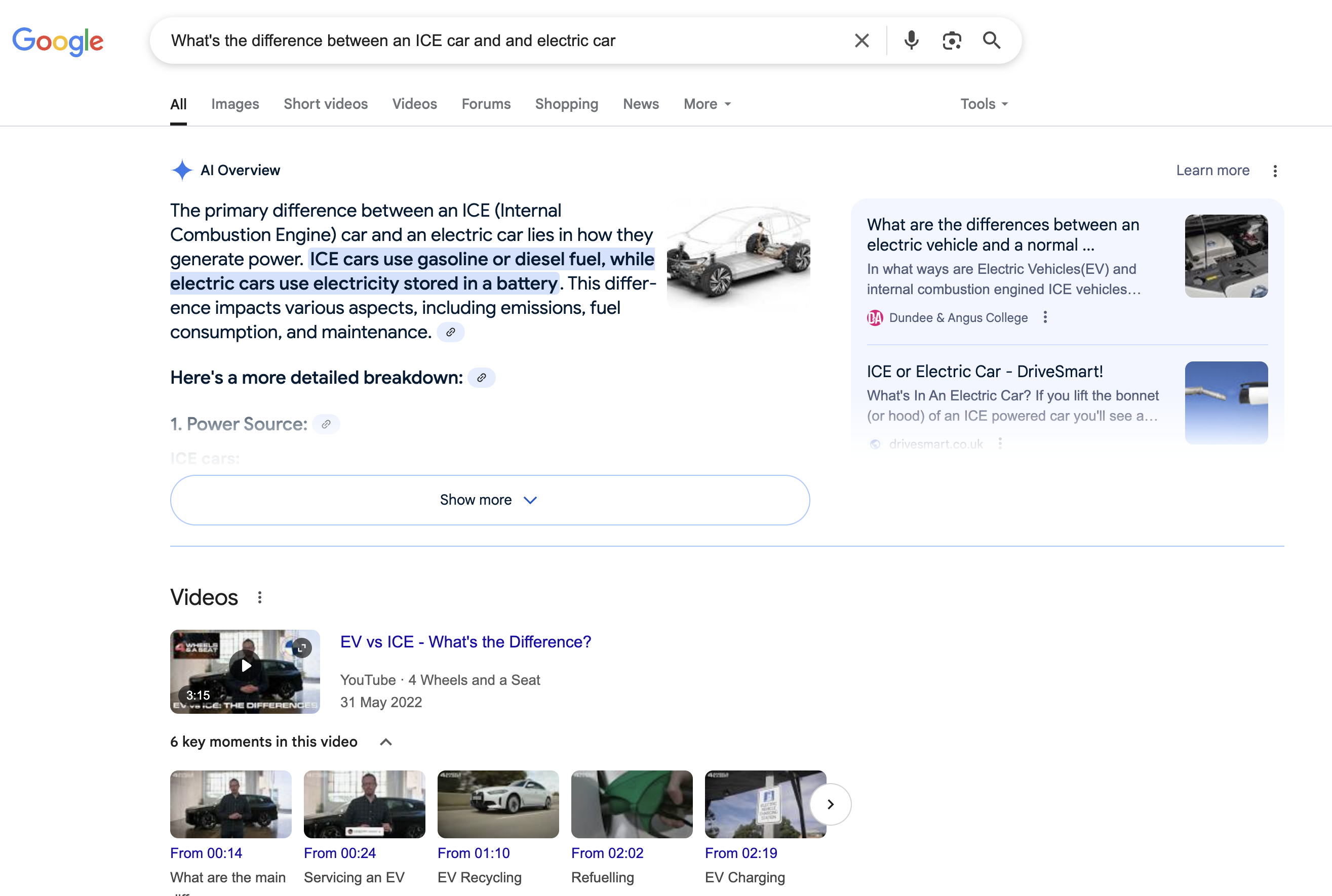 Normal search result for "What's the difference between an ICE car and an electric car"
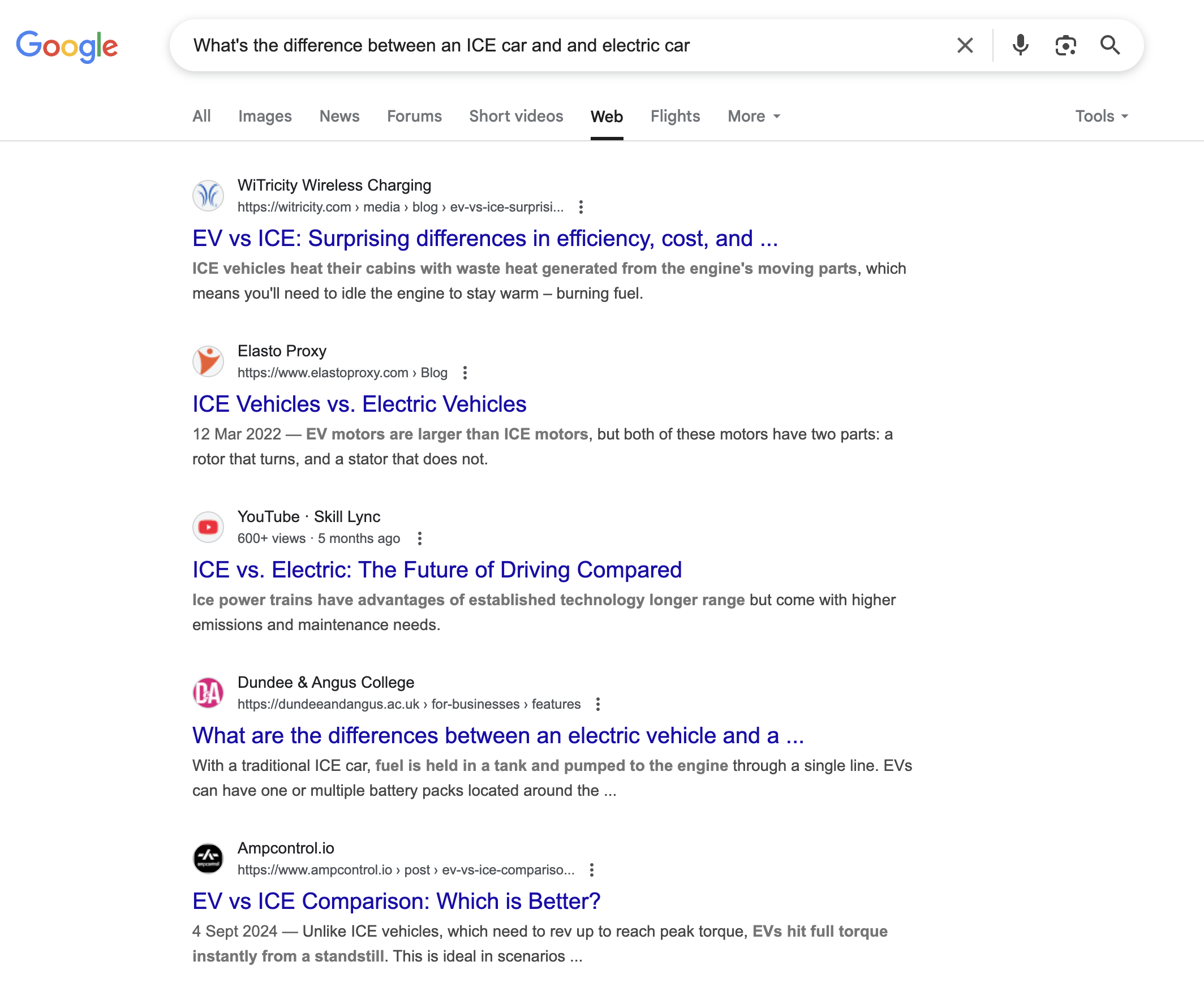 udm14 search result for the same query
Make this the default
At the moment, you can udm-ify your searches by:
- Using the udm14 website
- Manually pasting the udm14 parameter into the url bar each time you search
- Clicking the "web" tab after each time you search
None require much effort, but you can also set udm14 as your default search engine so that each time you search by typing in the url bar, you're automatically redirected to the web tab of the search results.
To do this in Chrome:
- Open Chrome settings and click on Search Engine in the left sidebar
- Click on Manage search engines and site search
- Click "Add" next to site search
- In the pop-up, enter any name (e.g. udm14) and give it a shortcut (e.g. @udm)
- Paste
https://www.google.com/search?q=%s&udm=14into the url field and click save - Click on the three dots next to the new udm14 entry, and click "Make default"
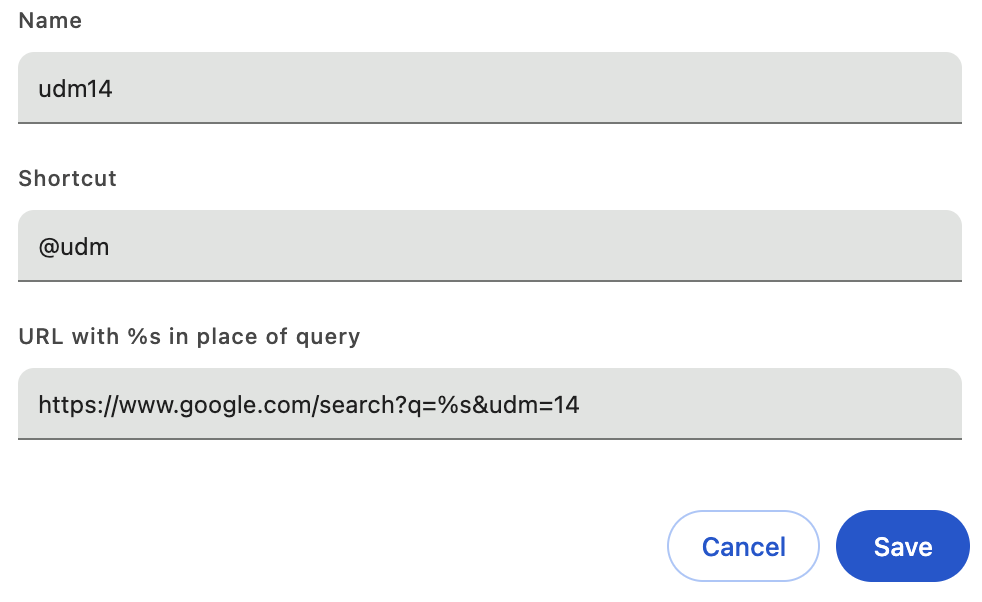 Create your new udm shortcut in Chrome
And you're done! The %s in the url string above automatically gets substituted for whatever keywords your searching for, and if you don't make your new search tool the default, you can use @udm shortcut to quickly use udm14 from the url bar.